Breaking News

Popular News





Enter your email address below and subscribe to our newsletter
Smart Discovery Store
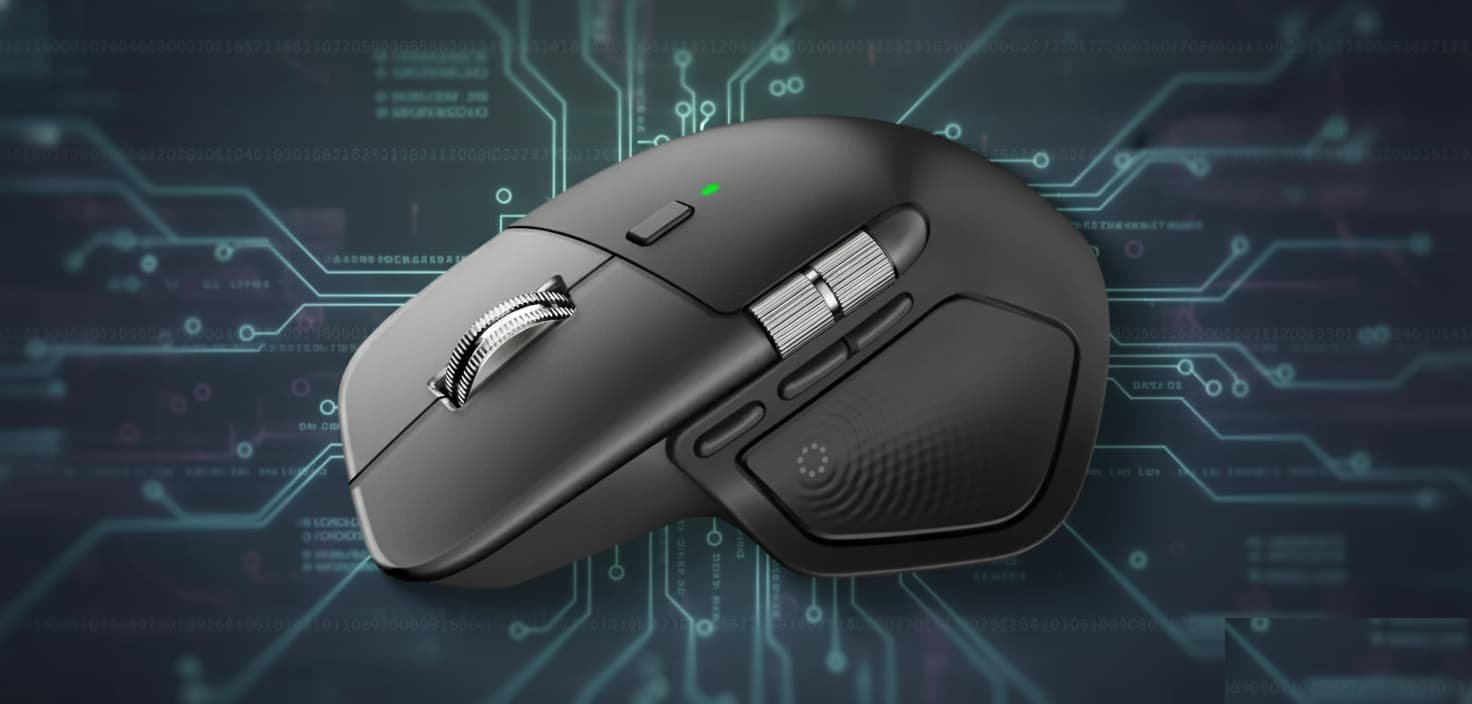
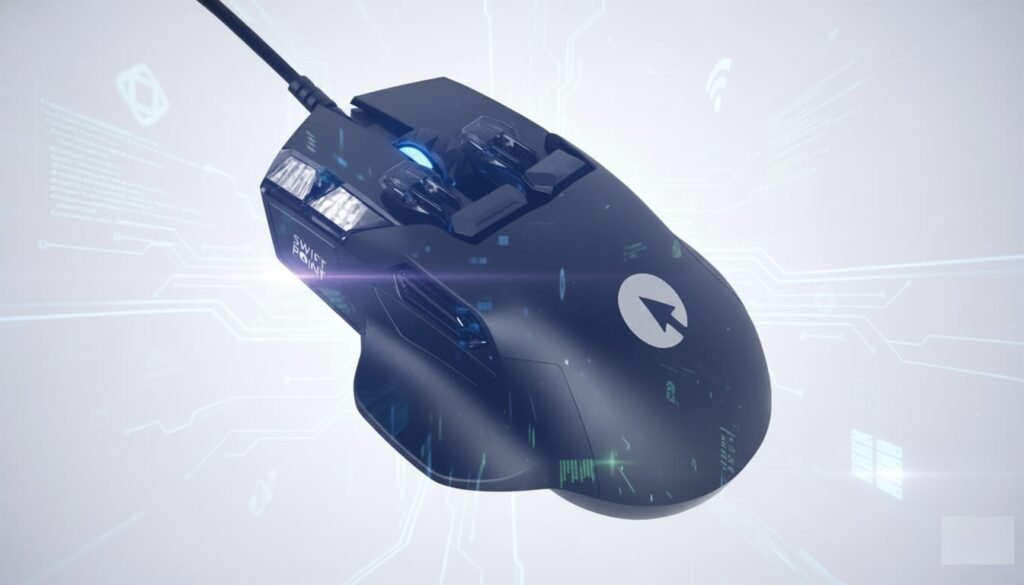
Logitech’s MX Master series has long set the standard for premium productivity mice. With the new MX Master 4, the company introduces its most ambitious update yet: integrated haptic feedback. The signature ergonomic silhouette remains intact, the scroll wheels return with improved control, and the layout receives subtle but meaningful enhancements. At the same time, a few design decisions — including the new gesture button placement and a jump in price — reshape the conversation around this seventh-generation release.
The MX Master 4 continues to target creators, professionals, and power users who depend on macro controls and cross-platform workflows. After several generations of incremental refinement, this model pushes the line forward with tactile interactions and deep software integration while preserving the comfort and consistency that longtime MX users rely on.
A major physical change is the switch from the soft rubber coating of earlier models to a textured silicone surface. This material resists wear and staining more effectively, addressing a common complaint from users of the 3S and older models. The mouse still fits naturally in larger hands, and the facelift maintains the MX aesthetic with a translucent keyplate edge and a horizontally extended thumb wheel that now flows more seamlessly with the chassis.
The device ships with Logitech’s updated USB-C Bolt receiver — a welcome transition given the universal shift toward USB-C on laptops and desktops. The receiver is smaller than before but lacks a storage compartment inside the mouse, raising the risk of misplacement. Logitech no longer includes a USB-C charging cable in the box, citing reduced e-waste, which will be a minor inconvenience for users setting up a new workstation without existing cables.
Despite these changes, core strengths return unchanged: the MagSpeed infinite scroll, quiet click mechanisms, quick-charge support, Bluetooth connection options, and multi-device pairing.
The defining feature of the MX Master 4 is its new haptic engine. It creates a layer of sensory feedback that behaves similarly to the haptic trackpads found in modern MacBooks. Two classes of haptic events run throughout the experience. The first provides on-device signals for powering on, confirming connections, and alerting low battery levels. These cues feel sharp and well-tuned, offering subtle confirmation without creating distraction.
The second — and far more transformative — appears in the Action Ring, a capacitive surface located under the thumb. Triggering it displays a radial overlay of shortcuts on screen and produces a haptic tap that feels like pressing a physical button. Each gesture in the ring is paired with individual feedback pulses as users hover or activate commands, simulating mechanical tactility while enabling fast digital interactions.
This system brings contextual macros to the workflow: launching apps, controlling playback, opening folders, triggering screenshots, or accessing AI tools like ChatGPT, Perplexity, Gemini, or Copilot. Every icon can be remapped in Logitech Options+, enabling users to build tailored control hubs for specific tasks.
Haptic functionality extends into professional software, starting with Adobe Photoshop and Lightroom. In Lightroom, the scroll wheel becomes a precision dial for exposure, highlights, shadows, white levels, contrast, tint, and temperature — with haptic taps marking increments as they adjust in real time. This creates a smooth, analogue-like editing experience that adds clarity and momentum to fine adjustments.
Photoshop benefits in similar ways, though current beta software introduces an issue where each brightness or contrast change generates a new smart filter, cluttering the layers panel. These bugs are expected to resolve through updates, but for now they highlight the early-stage nature of the platform.
Support for DaVinci Resolve appears unofficial but present. Resolve recognizes the Action Ring and allows limited commands such as full-screen preview, adding nodes, grabbing stills, and applying default transitions. Deeper functions, including audio level adjustments and transition type selection, remain inconsistent. Broader compatibility depends on Logitech’s upcoming third-party SDK, which will determine how fast new plugins emerge.
Logitech’s Options+ software plays a central role in the MX Master 4 experience. The interface is clean and responsive, showing a high-resolution view of the mouse with expandable menus for all remappable buttons. Profiles automatically shift based on active applications, and the software supports macros, shortcuts, and per-app Action Ring layouts.
Sensitivity settings for the haptic panel determine how much pressure is needed to trigger a gesture. For most users, switching from the default medium to firm reduces accidental activations. Additional tabs manage scroll behavior, pointer speed, haptic intensity, gesture settings, and cross-device control through Logitech Flow.
Flow remains one of Logitech’s strongest ecosystem features, enabling seamless cursor movement between computers and allowing copy-paste transfers of text, files, and images across macOS and Windows devices on the same network.
The MX Master 4 retains the same 8K DPI sensor used in the 3S. While it delivers reliable tracking for creative and productivity work, users hoping for a precision upgrade or a gaming-tier sensor may be disappointed. The mouse still carries the slight acceleration characteristic of past models, though this rarely impacts non-gaming workflows.
Battery life remains exceptional at up to 70 days per charge. Real-world numbers align closely with this estimate, especially with moderate haptic use. Quick-charging still provides three hours of operation from a single minute of charging, reinforcing the mouse’s readiness for demanding professional environments.
At $120, the MX Master 4 moves out of the long-standing $99 price category that defined its predecessors. The increase reflects added engineering complexity and new haptic components, but it also positions the mouse in a more premium bracket.
For users upgrading from the MX Master 2, 2S, or even the original 3, the refinements in materials, ergonomics, and workflow customization provide a meaningful step forward. For owners of the MX Master 3S, the decision is more nuanced. While the haptic Action Ring has tremendous potential, it currently supports only a limited number of apps. Until more plugins arrive, many users may not experience enough functional benefit to justify the upgrade.
The shape, weight, and comfort remain exceptional, making the MX Master 4 one of the best ergonomic mice on the market. However, lack of a true left-handed version continues to limit accessibility for left-handed users.
The Logitech MX Master 4 preserves the legacy of the MX line while introducing a clear vision for its future. Its haptic engine creates a tactile bridge between digital and physical interactions, unlocking new layers of control for modern workflows. Although software support remains in early stages, the hardware foundation is strong, the ergonomics are industry-leading, and the customization options are deep.
For now, the MX Master 4 is best viewed as a premium evolution rather than a universal must-upgrade. With broader third-party support and expanded plugin compatibility, it has the potential to redefine what a productivity mouse can be in the coming years.