



Smart Discovery Store
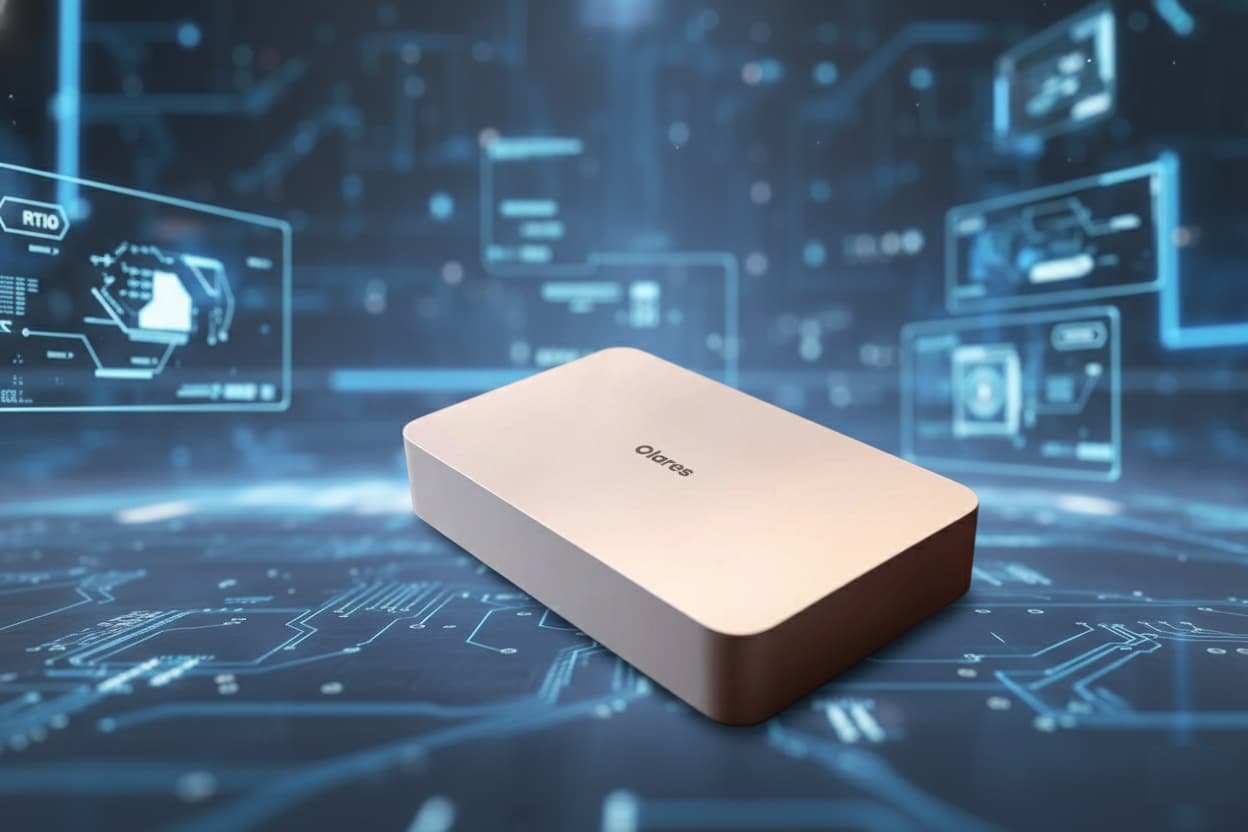
Olaris 1: A Purpose-Built Personal AI Appliance for Local, Private Computing
The Olaris 1 is positioned as something fundamentally different from a traditional mini PC. Rather than being a general-purpose computer with AI capabilities added later, it is designed from the ground up as a personal AI appliance. The goal is clear: deliver local AI performance, privacy, and remote accessibility without requiring users to become system administrators.
At a glance, the Olaris 1 resembles a refined, stretched mini desktop with a premium industrial design. It is compact enough to sit comfortably on a desk yet powerful enough to replace cloud-based AI workflows. The device is intended to remain powered on in one location while being accessed securely from anywhere—laptops, tablets, or phones—without the usual friction of VPN setup, port forwarding, or complex network configuration.
This approach targets a growing group of users who want to move AI workloads off third-party servers while maintaining the convenience typically associated with cloud services.
Hardware Built Explicitly for Local AI
Inside the Olaris 1 is a hardware configuration that clearly prioritizes AI acceleration and sustained performance. The system is powered by an Intel Core Ultra 9 275HX processor, paired with an NVIDIA RTX 5090 mobile GPU featuring 24GB of VRAM. This combination places the device firmly in workstation-class territory, particularly for inference-heavy AI tasks.
Thunderbolt 5 support provides high-bandwidth external connectivity, while HDMI, USB, and Ethernet ports ensure compatibility with traditional peripherals when needed. The internal cooling system is designed to keep noise levels low, even under sustained GPU load, making the device suitable for desk environments rather than server rooms.
The system ships with 96GB of memory and a 2TB NVMe SSD, a configuration that reflects the realities of local AI workloads. Large models, datasets, and intermediate files quickly consume storage, and the included capacity allows meaningful experimentation without immediate upgrades.
While the GPU’s 24GB VRAM imposes natural limits on the largest available models, the hardware remains capable of running a wide range of modern language, image, video, and audio generation tools efficiently.
An Appliance Model: No Monitor, No Keyboard, No Friction
One of the most distinctive aspects of the Olaris 1 is how it is meant to be used. It is not designed to be operated like a conventional desktop computer. There is no expectation of attaching a keyboard, mouse, or monitor for daily use.
Instead, the device operates as a personal AI server. Users interact with it through a web-based interface or companion apps from any device. A secure, personalized URL provides access to the system, protected by authentication and multi-factor security. For mobile access, built-in VPN support ensures encrypted connections without manual setup.
This design fundamentally changes how local AI hardware fits into daily workflows. Models can be downloaded, updated, and run on the Olaris 1 at home or in an office while being accessed remotely from a café, coworking space, or travel location. Large model downloads occur once on the device itself, rather than repeatedly on each client machine.
Software Stack and Open-Source Foundation
The software experience is where the Olaris 1 differentiates itself most clearly. The operating system is based on Ubuntu, layered with a fully open-source orchestration stack. Core technologies such as Kubernetes handle application management, resource allocation, and isolation behind the scenes.
On top of this foundation sits a polished, consumer-friendly interface. A dashboard provides real-time visibility into CPU, GPU, memory, and storage usage. An app launcher presents installed services in a familiar grid layout, reducing the learning curve for users new to self-hosted platforms.
All software components are open source and publicly available, allowing full inspection of how the system operates. This transparency aligns closely with the device’s privacy-first positioning and appeals to users who want control over both their data and their tools.
App Marketplace and One-Click AI Deployment
Traditionally, running local AI tools requires navigating repositories, resolving dependencies, and managing configuration files. The Olaris 1 abstracts this complexity through a built-in marketplace.
From this interface, users can install popular AI frameworks and tools with a single action. Text generation platforms like Ollama, web interfaces such as Open WebUI, and creative tools like ComfyUI are available without manual setup. Once installed, these tools automatically detect available models and configure themselves appropriately.
This approach dramatically lowers the barrier to entry for local AI. Users can move between text generation, image synthesis, video creation, and music generation without switching environments or rewriting configuration files. The system handles orchestration, GPU allocation, and service startup automatically.
Beyond AI-specific tools, the marketplace also includes general-purpose server applications such as media servers, automation platforms, torrent clients, and home lab utilities. This positions the Olaris 1 as a hybrid between an AI workstation and a personal server.
Real-World AI Performance and Workflows
In practical use, the Olaris 1 demonstrates the advantages of dedicated local AI hardware. Large language models such as 30-billion-parameter coding models run at high token-per-second rates, delivering responsive interactions comparable to premium cloud services.
Image generation workflows using ComfyUI complete rapidly, even at higher resolutions, while video generation models produce short clips in minutes rather than hours. Music generation, often one of the more demanding tasks, becomes accessible locally without reliance on external APIs.
The system’s ability to manage models automatically is particularly impactful. Models are downloaded, stored, and indexed without requiring users to track filenames or directory structures. A built-in file manager remains available for advanced users who want direct access, but it is no longer a prerequisite for effective use.
GPU Resource Management and Multi-App Control
A notable feature of the Olaris 1 is its GPU mode management. Users can choose how GPU resources are allocated across applications depending on workload requirements.
In exclusive mode, a single application receives full access to GPU compute and memory, maximizing performance for demanding tasks. Memory slicing allows multiple applications to share GPU memory simultaneously, while time slicing schedules GPU access across several workloads in sequence.
This flexibility is especially valuable when running multiple AI services concurrently, such as a language model alongside an image generation pipeline. The system provides control typically associated with enterprise environments, presented through a consumer-friendly interface.
Security, Privacy, and the Local AI Argument
The core value proposition of the Olaris 1 is data ownership. By running AI workloads locally, sensitive data never leaves hardware controlled by the user. This is particularly relevant for professionals handling client data, proprietary documents, or regulated information.
Secure access is baked into the platform rather than bolted on. HTTPS certificates, identity management, and authentication are handled automatically. Remote access does not require exposing services manually or relying on third-party tunnels.
This model represents a middle ground between traditional local servers and fully cloud-based AI platforms. Convenience is preserved, while privacy and control are restored.
Pricing, Positioning, and Who It’s For
With a price point around three thousand dollars, the Olaris 1 is not positioned as a casual consumer device. Its value lies in the combination of high-end hardware, integrated software, and reduced operational complexity.
Comparable systems with similar GPU capabilities often require custom builds, manual configuration, and ongoing maintenance. Cloud alternatives may offer lower upfront costs but introduce recurring fees and long-term data dependency.
The Olaris 1 is best suited for developers, researchers, content creators, and privacy-conscious professionals who want a personal AI environment that behaves like a cloud service while remaining physically owned.
A Shift Toward Personal AI Infrastructure
The Olaris 1 reflects a broader shift in computing priorities. As AI workloads become central to creative and professional work, the demand for personal, controllable infrastructure is increasing. This device demonstrates that local AI does not need to be synonymous with complexity.
By combining powerful hardware, an open-source foundation, and a polished user experience, the Olaris 1 presents a compelling vision of what personal AI hardware can become: private, accessible, and genuinely useful without sacrificing convenience.acks with adapters, or as a standalone desktop unit.
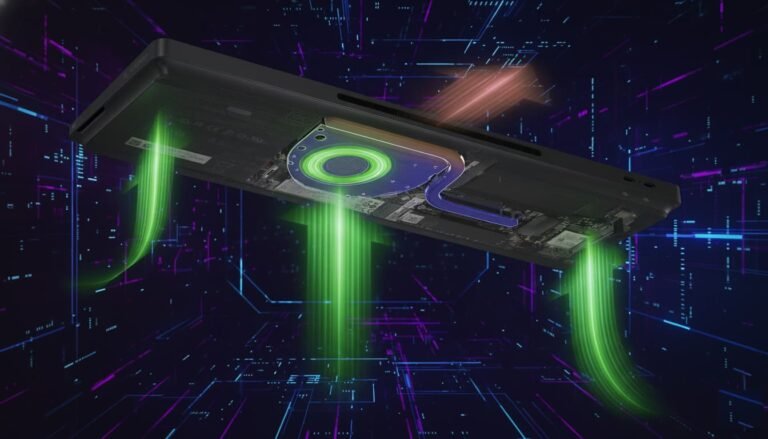
Internally, the scale of the cooling solution immediately stands out. The CPU cooler occupies a significant portion of the internal volume, underscoring the thermal demands of the HX-class processor. This is not a low-power system designed for silence-first operation; it is built to sustain heavy workloads within tight spatial constraints.
Connectivity and I/O Capabilities
One of the defining characteristics of the MSO2 Ultra is its unprecedented I/O density. The rear panel alone includes an HDMI 2.1 port supporting high resolutions and refresh rates, a 40Gbps USB4 Type-C port with DisplayPort Alt Mode and power delivery, three 10Gbps USB Type-A ports, a 2.5Gb Intel Ethernet port, and an additional 10Gb Realtek Ethernet port.
The standout feature, however, is dual 25Gb SFP28 networking powered by Intel hardware. This level of networking is exceptionally rare in systems of this size and positions the MSO2 Ultra as a serious contender for enterprise labs, high-speed NAS setups, and virtualization environments.
On the front, dual USB4 v2 ports provide additional high-speed connectivity, alongside another 10Gb USB-A port, a combined audio jack, and a power button. For a system of this footprint, the total I/O offering exceeds that of many full-sized desktops.
Internal Expansion and Storage Architecture
Opening the chassis reveals a highly unconventional internal layout optimized for expansion. The MSO2 Ultra includes a PCIe Gen 5 x16 slot, a PCIe Gen 4 x4 slot, and a custom PCIe Gen 4 x12 carrier card. This carrier card serves a dual purpose: it hosts the dual 25Gb network controller and provides mounting for two M.2 NVMe SSDs.
In total, the system supports up to four M.2 SSDs, enabling configurations of up to 32TB of NVMe storage. This level of internal storage capacity is extraordinary for a mini PC and makes the MSO2 Ultra particularly attractive for high-speed storage arrays, virtualization hosts, and data-intensive workloads.
Power is supplied by a 300W Flex ATX power supply, which includes an 8-pin PCIe connector for low-profile GPUs. While GPU compatibility is limited by size constraints, supported options include professional small-form-factor cards such as the RTX 4000 Ada and select low-profile consumer GPUs. This adds significant versatility for AI inference, light rendering, or GPU-accelerated workloads.
Memory, Wireless, and Platform Features
The MSO2 Ultra features four SO-DIMM slots supporting up to 256GB of DDR5 memory. Both ECC and non-ECC configurations are supported, catering to users who prioritize data integrity alongside performance. Memory speeds are capped by platform limitations, and XMP profiles are not supported, which may disappoint enthusiasts but aligns with the system’s stability-first orientation.
Wireless connectivity is handled by a socketed Wi-Fi 7 and Bluetooth 5.4 module, ensuring modern wireless performance and upgrade flexibility. The modular nature of this component allows for future replacement if standards evolve.
Virtualization support is fully enabled, continuing Minisforum’s tradition of catering to homelab and enterprise-adjacent users. This makes the MSO2 Ultra suitable for hypervisors, containerized environments, and multi-VM workloads where both CPU density and network throughput are critical.
Performance and Thermal Behavior
In synthetic benchmarks, the Core Ultra 9 285HX delivers performance approaching desktop-class CPUs. Multi-core results place it competitively alongside high-end desktop processors, while single-core performance remains strong enough for responsive general use. In certain benchmarks, it rivals or exceeds flagship consumer CPUs, underscoring the raw compute capability packed into this compact system.
Integrated graphics performance is functional rather than performance-oriented, suitable for media playback, desktop workloads, and light graphical tasks. Gaming and advanced GPU workloads require the addition of a discrete GPU, which the system is explicitly designed to accommodate within its physical limits.
Thermally, the system demonstrates the challenges inherent in such a dense design. Under sustained heavy loads, fan noise becomes noticeable, and the cooling solution prioritizes maintaining safe operating temperatures over acoustic comfort. While short bursts of high power draw are handled well, sustained maximum power configurations push the cooling system to its limits. The platform allows aggressive power tuning, but effective thermal management becomes the limiting factor rather than electrical capability.
High-Speed Storage and Networking Performance
With multiple NVMe drives installed, the MSO2 Ultra delivers exceptional storage throughput. RAID configurations across four SSDs achieve multi-gigabyte-per-second read and write speeds, making the system well suited for high-performance file servers, media processing, and database workloads.
Networking performance over the dual 25Gb interfaces unlocks use cases rarely associated with mini PCs. High-speed NAS deployments, distributed compute nodes, and advanced homelab configurations become practical without the footprint of rack-mounted hardware. While real-world performance depends on the surrounding network infrastructure, the platform itself presents no obvious bottlenecks.
Pricing and Value Considerations
The MSO2 Ultra commands a premium price, particularly in fully configured models. Barebones options provide flexibility for users who already own DDR5 memory and NVMe storage, while preconfigured variants bundle Windows, storage, and memory at a comparatively competitive markup.
When compared to equivalent ITX desktop builds, the MSO2 Ultra offers comparable or superior performance in a significantly smaller enclosure, though at the cost of proprietary components and reduced upgrade freedom. For users who value compactness, I/O density, and enterprise-grade networking, the pricing aligns with the capabilities offered.
Use Cases and Target Audience
The Minisforum MSO2 Ultra is not designed for casual desktop users. Its strengths lie in scenarios that demand compute density, fast networking, and modular storage within constrained spaces. Ideal use cases include homelabs, edge servers, virtualization hosts, high-speed NAS systems, and compact development workstations.
For professionals who require extreme capability without dedicating space to a full-sized tower or rack system, the MSO2 Ultra represents a rare convergence of power, flexibility, and compact design.